Make status readable
Use explicit labels for work in progress, review, and delivery.
 Simply EditsProduct & web design · 2026
Designing the way creators discover Simply Edits, understand the offer, and move into their first edit.
Explore the websiteSimply Edits turns raw footage into structured edits and delivers editable Premiere Pro or Final Cut Pro project files. That last part is important: creators can keep working in the tools they already use.
I designed the landing page end to end, helped with search-focused content and internal linking, and contributed to the product flows and admin dashboard.
Reported project results. These are observed rates, not before-and-after improvements. Measurement dates and keyword positions are not included.
The landing page needed to explain the offer quickly, then answer the questions that come after it. Faster editing is the headline benefit. Editable output is the practical reason it can fit a creator’s workflow.
I treated the page as a sequence: understand the output, see the process, then decide whether to start.
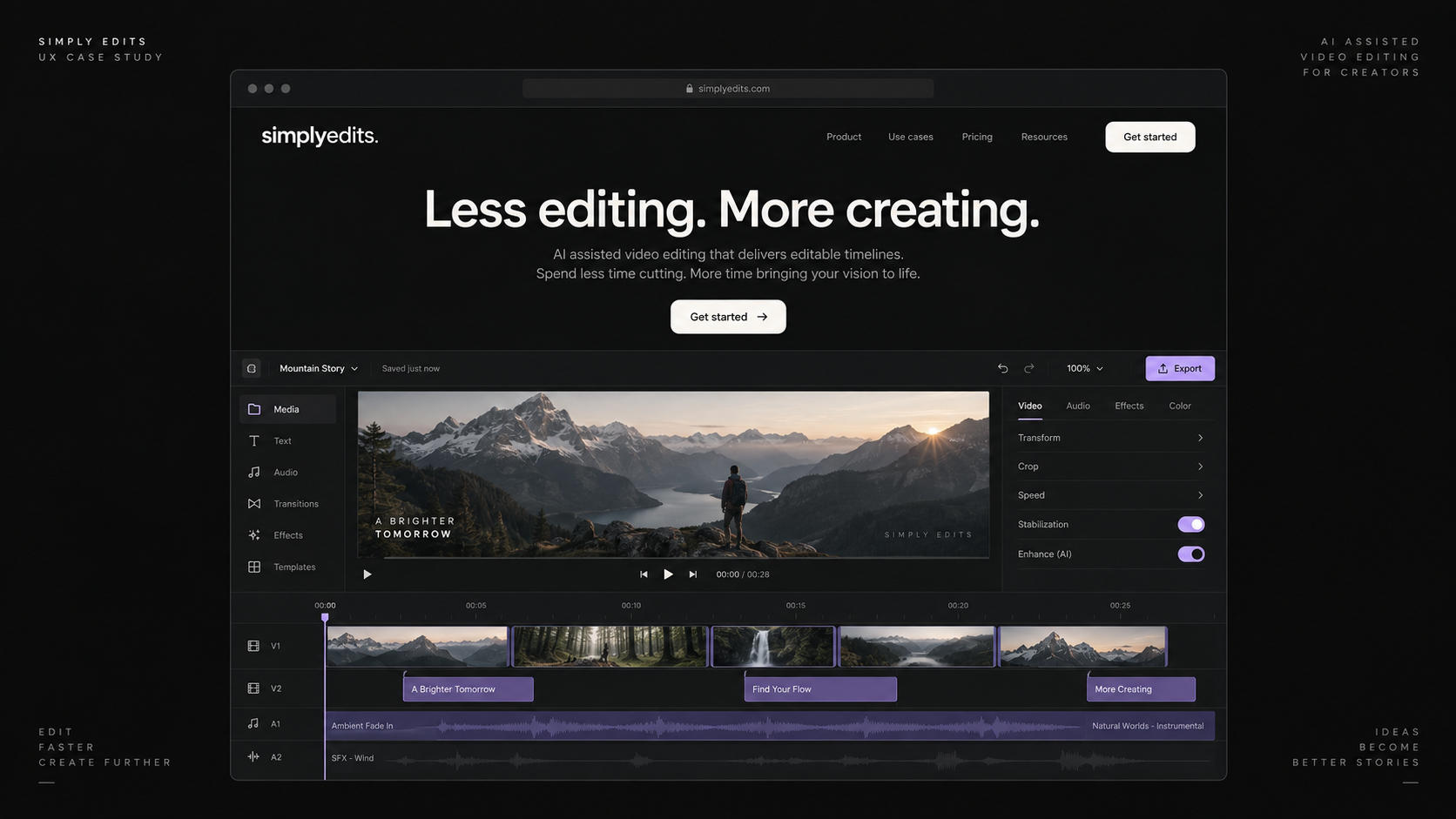
AI-generated reconstruction for the portfolio, not a screenshot of the shipped page.
I helped the site rank for five target keywords through SEO-focused blog content and internal linking. The aim was to connect useful answers with a relevant product offer.
My contribution also included internal UI systems, the admin dashboard, and product flows. The same questions carry through: what stage is this project in, and what needs to happen next?
The public workflow moves from upload to editing, review, and editable delivery. These are the interface principles illustrated in the dashboard study.
Use explicit labels for work in progress, review, and delivery.
Connect revision notes with the relevant project and preview.
Keep actions, components, and states recognizable across the flow.
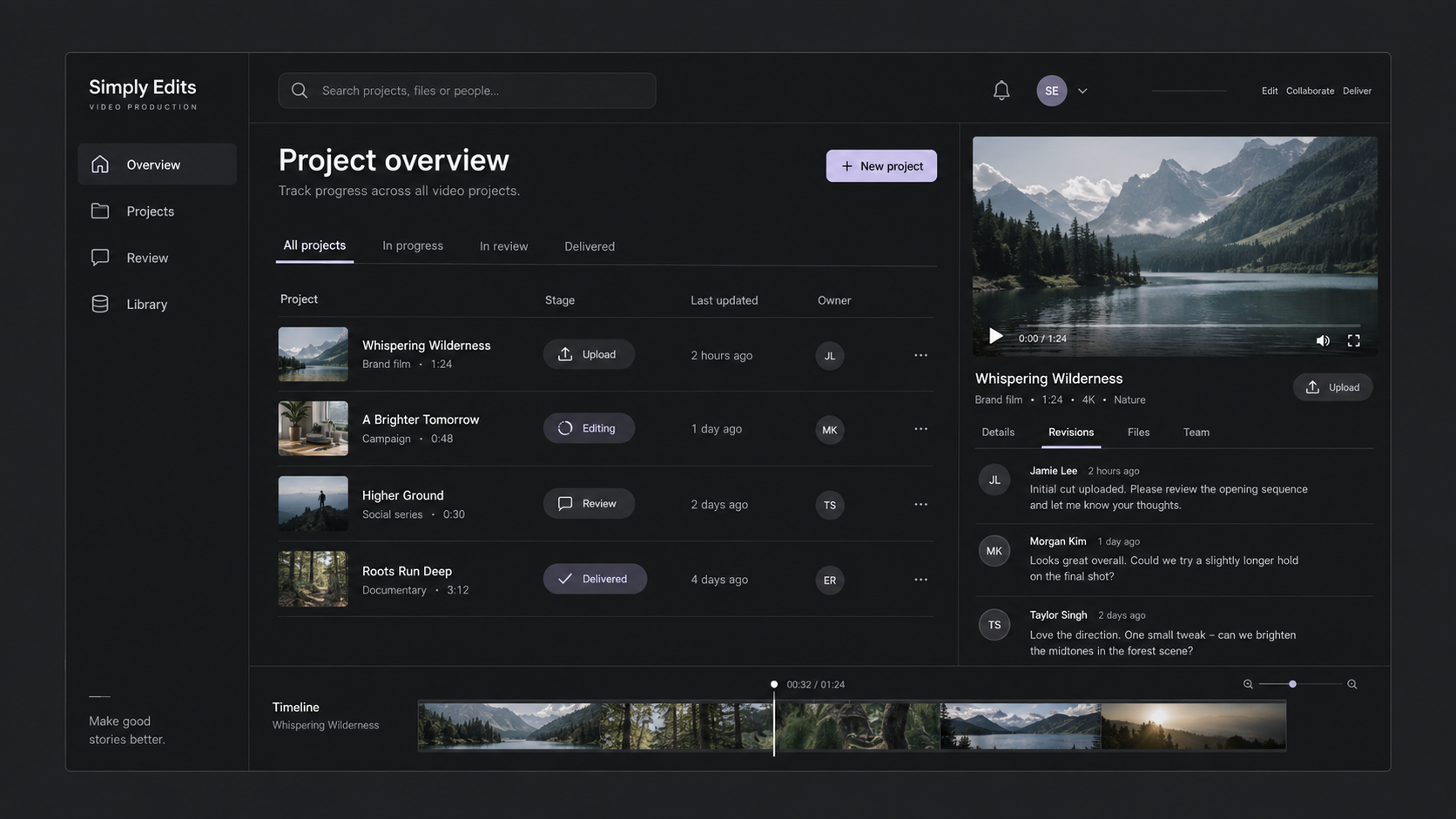
AI-generated reconstruction with sample content, not a screenshot of the shipped internal dashboard.
An onboarding concept that asks for context in stages, then shows the expected output before processing starts.
Concept exploration, not a shipped redesign. I’d evaluate completion of the first project and where people leave the flow.
This project connected the work before the first click with the experience after it. That is the part I want to keep exploring: how content, interface decisions, and product flow support each other.